Storage File Naming

This is not a rant, but I have to admit the system NIKON has adopted is far from ideal for the 5 photographers who actually bother to use it.

NIKON allow the user to change three of the digits in the storage file name, to enable different file sequences etc. This is all very well, and for the most part used by most photographers who shoot, then download their work the same day – who cares where the files are stored.

But there are some people out there who tend to shoot over longer periods…days, weeks even, and having the possibility to change the file name, for example, to include a date…would be extremely useful.

Added to this the new functions where the camera becomes entirely automatic, even down to when it chooses to record the image – in these situations the camera could be alone for days at a stretch.
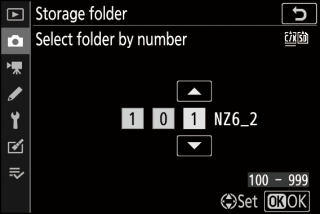
Another way of approaching the ‘problem’ would be an auto increment – choose a three digit number and then when the internal clock detects it’s after midnight, increment the chosen number by 1 – in this way when the card is connected to a computer, the different (sequential) files could be easily identified.

I’m sorry NIKON but when you see the zillions of menu items, adding a date sequence to the storage file selection doesn’t’t seem like rocket science…
Simple question really…

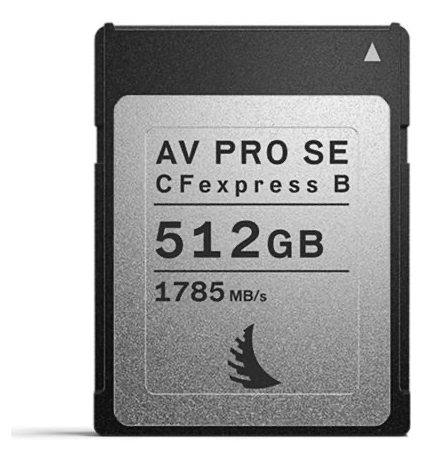
…how many images can I get onto a memory card?

Well, ok, at first sight, it seems very simple – divide the capacity of the card by the size of the image files and hey presto!

Except no – you can’t just do this. For a start, despite the fact that cards are shown with a capacity in Giga bytes (or Giga octets) this number needs to be modified.

A single gigabyte is in fact 1024 Megabytes of space. So now we multiply the indicated card capacity by 1024.

For a 128Gb card : 128 * 1024 = 131072 Mb

Now take of up to 7% of this space for the directories and space needed by the car to reference everything written on to it and we’re left with

131072 – 7% (9175 Mb) = 121896 Mb

Now we can take our ‘average’ file size (I estimate 33Mb for my 24 megapixel sensor – this changes with file type RAW or JPEG, compression, loss or lossless, 12 or 14 bit etc. and also the detail in the image…)

121896 / 33 = 3693 images

According to the official NIKON manual for the Z6ll I should be able to record 2400 image files on a 128Gb card – this calculation (confirmed by other sites) indicates a 30% increase…

I’m off to the Highlands in the fall – with a bit of luck, and a 512Gb memory card, I won’t even need to do a backup while I’m away. But, of course I will as I don’t trust ANY memory card system, and a simple download to my NVMe backup will reassure me 🙂

PS The answer seems to be « in excess of 14,000 images on a 512Go card »

UPDATE

Interestingly, I posted this question on the NIKON RUMURS forum – naturally no-one has responded (the people there don’t actually own any cameras to make images, so they’re incapable of knowing how many ‘virtual’ images they would be able to get on their ‘virtual’ memory cards).

I also mailed Thom Hogan – and received a reply – I rest my case. If you need information, go to the pros – thanx Thom.

Further Update

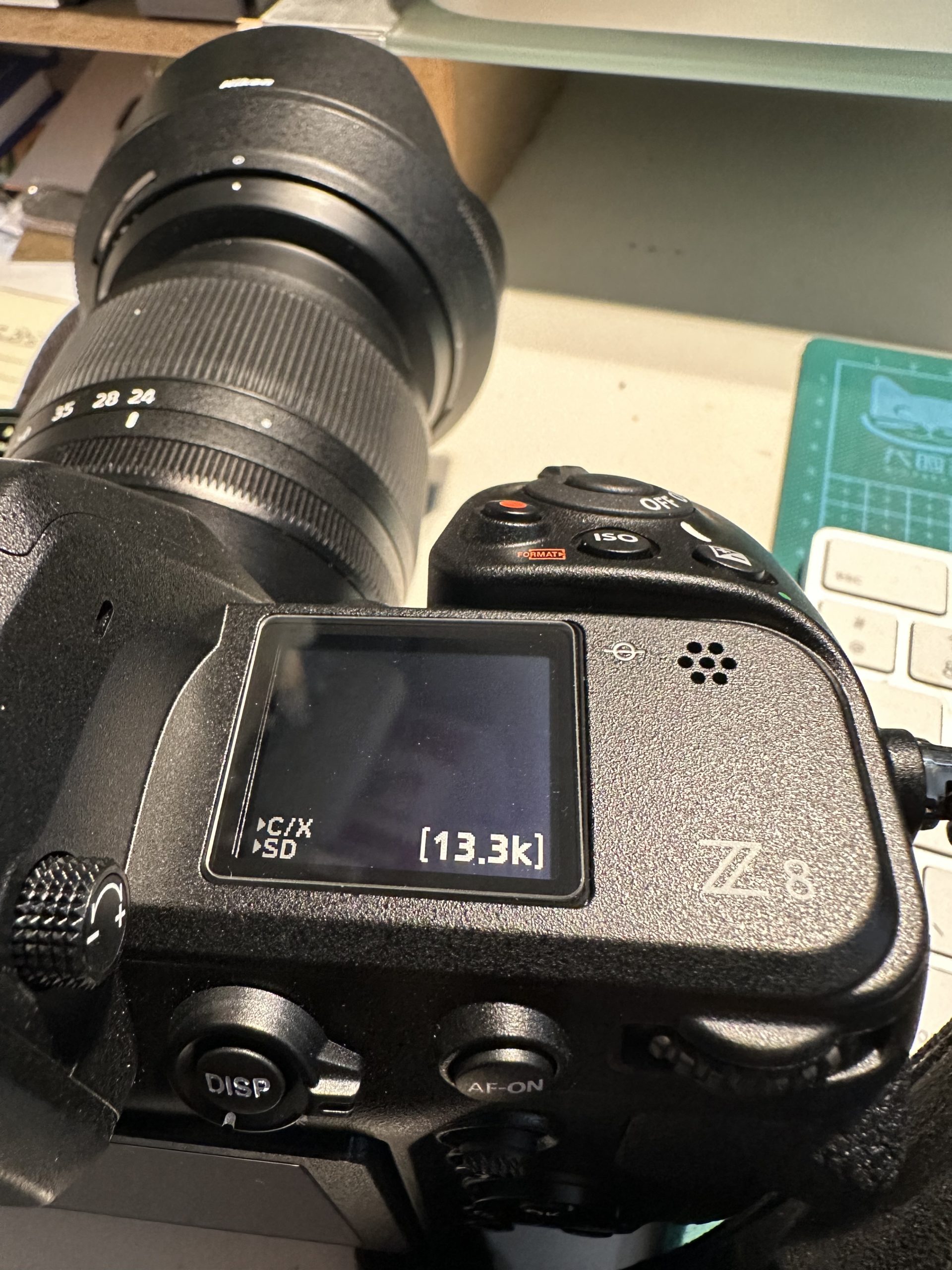
It seems the answer was in fact hiding in plain sight…

Here’s the control panel of one of my NIKON cameras and even switched off it displays how many (approximately) images can be stored on the card (in this case a 512Gb)

Sometimes you can’t see the wood for the trees…..

Incoming…

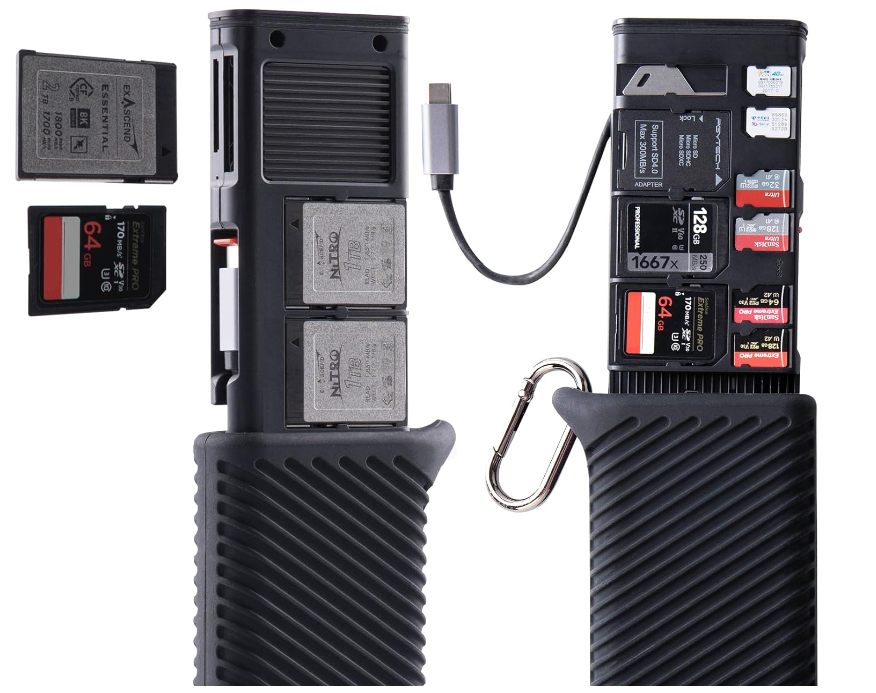
Introducing the PGYTECH Card storage & reader

This is a recent addition to PGYTECHs range of memory card cases – with the added bonus that it includes a card reader, which makes the thing a whole lot more interesting.

The storage/reader part slides out from an alluminium housing, covered in a green (or black) rubber/neoprene protection.

There are 2 versions – CFExpress A and B – as the ‘A’ type cards don’t seem that popular (and as such are way more expensive) and my cameras use the ‘B’ version, we’ll concentrate on that version.

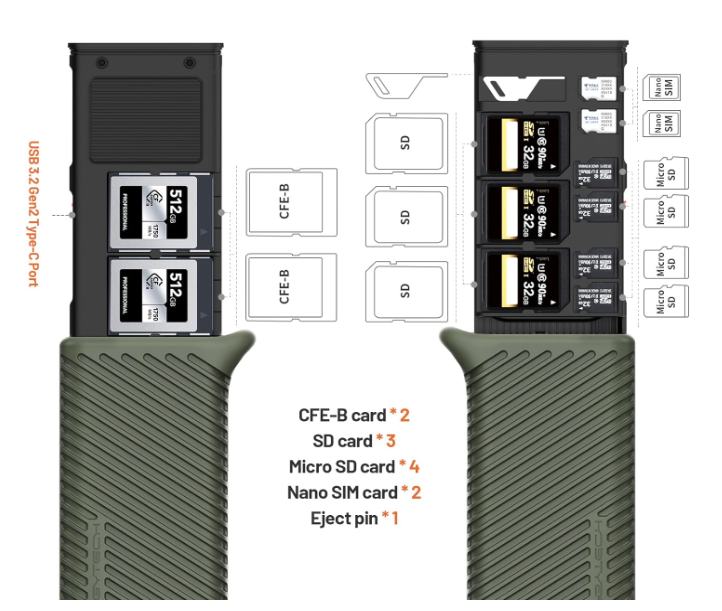
As can be seen in this image, there are card storage slots for 2 x CFE B cards and 3 x SD cards. (Also microSD and SIM).

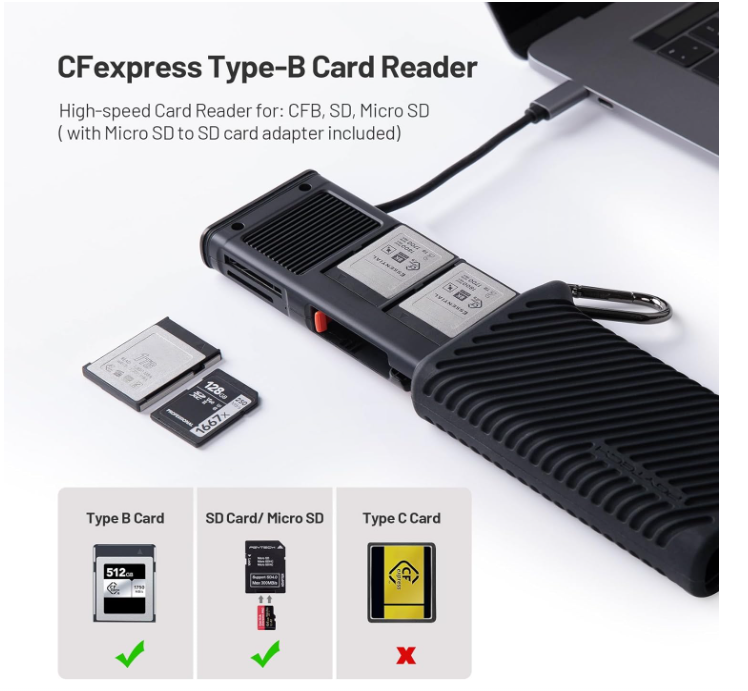
The slots for the card reader are at the top, on the opposite side. A neat USB-C cable unfolds from the case and the whole thing is dust proof and protected from water (when closed) but NOT waterproof. I’ve never actually been tempted to try to download a card underwater, so this is hardly a huge concern for me.

An additional USB-C slot allows to connect an externe power source (useful if, like me, you download your cards to a phone/external disk in the field) – good move this.

At around 90€ this is not cheap kit – and I’m trusting it lives up to expectations.

UPDATE

It’s arrived and it’s a very well built/designed bit of kit. It’s supplied with a microSD/SD adaptor and a SIM card ‘key’ / screwdriver.

I’ve tested the card reader, and not surprisingly it reads my CFEexpress cards but not my XQD cards (which is of no importance to me – I have 4 or 5 which need to go…) The interface is fast (USB-C) and the cable is neatly stored in the unit itself. Recommended.

(Purchasing advice – buy this on the PGYTECH site and you’ll end up paying 40€ less than the recommended price on Amazon – yes, it ships from China but mine arrived in 2 weeks, at no extra cost.)

Can’t they just leave her alone?

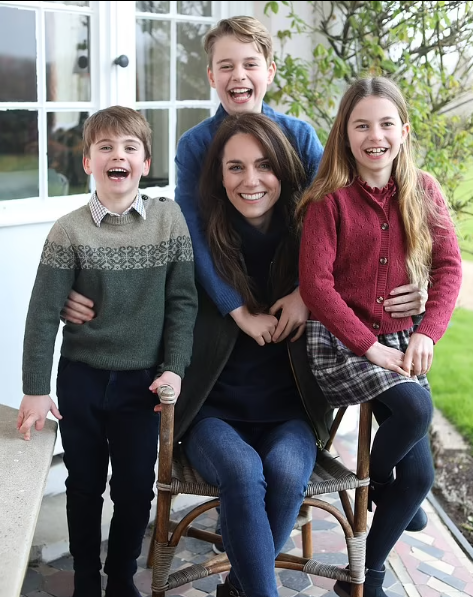
Hot news (worldwide apparently) is the new photograph published by Buckingham Palace to celebrate Mothers Day.

She is a competent amateur photographer, but in this instance it was her husband, the Prince of Wales who actually pressed the shutter. When the image was published the press had a field day, criticising some Photoshop fails, and asking why?

This prompted a swift apology from Kate Middleton who admitted that her Photoshop skills were limited, and that she shouldn’t have messed around with the image in the first place.

What I can’t understand is why people are making such a fuss? Very few images are published wihout a few ‘corrections’ – the simple fact that it was an image of the future Queen doesn’t, in my mind, make any difference.

True, had a ‘pro’ photographer taken (and edited) this image there would be little or no trace, but what the hell? Hasn’t she got enough on her plate without these idiots criticising her?

Closer to home (to me here in France) we have heard of an idiot (known for tying up his guests and suspending them from the garage ceiling…prompting the expression ‘Just off to hang around at Michels place’ ) who considers himself Gods gift to photography, and wouldn’t hesitate to use all the sliders and effects on his editing software in an attempt to make his fearfully drab images look ‘wonderful darling’ – doesn’t work, but he’s happy. (Apparently moves are afoot to ‘discourage’ him from attending the local photo club for doing the one thing he does with consumate ease – pissing people off.)

Personally I can’t see why a few ‘corrections’ can really change the ‘soul’ or purpose of an image like the one in question – no-one is out to fool anyone, no wool, no eyes…